Burn-in subtitles, playback speed and watermarks
There’s a new film icon next to every video. Click it, drop in an SRT or VTT, and the subtitles get baked right into the output. No sidecar file, no player roulette where half your viewers see nothing. Style them in Settings → Video: size, color, and whether they sit at the top, middle or bottom.
Same icon, second trick: playback speed per video. Pick 0.25×, 0.5×, 2×, 4×, or type in any custom percentage between 10% and 800%. Pitch stays put, so 2× won’t chipmunk your narrator. Doing the same speed across a whole batch? Hit “Apply speed to all videos” and be done.
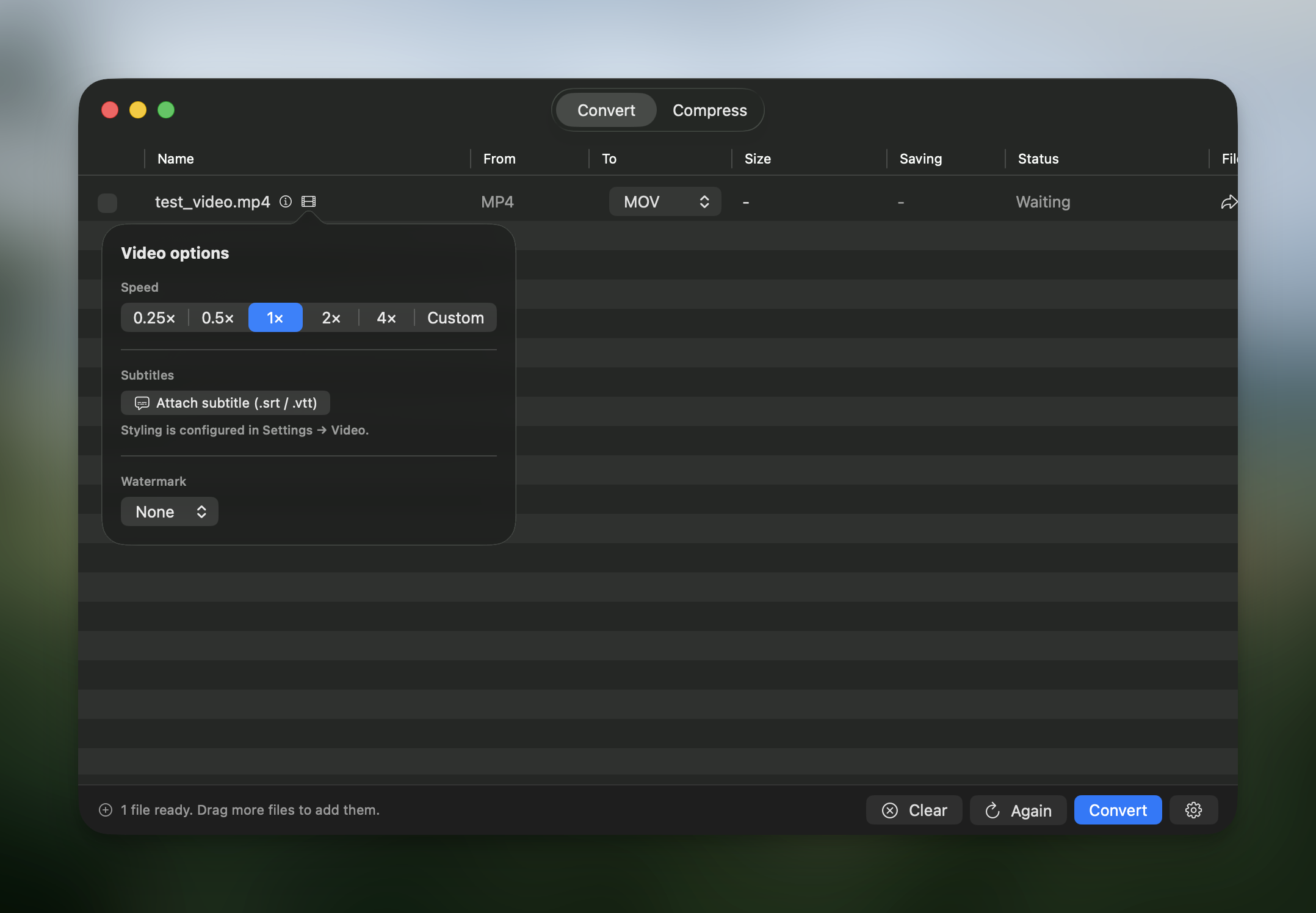
Watermarks finally landed for videos. Drop in a logo or a PNG, save as many presets as you want, and pick position (9 anchors), margins and opacity from Settings → Watermark.
And a fix that should have shipped ages ago: resize settings were quietly ignored during Compress. Max Dimensions, Max Width/Height and friends now behave the same in Compress as they do in Convert.
Use Picmal to easily convert your media on your Mac
One-time purchase · No subscription · 14-day money-back guarantee