Video size estimates, file priority, and pause/resume
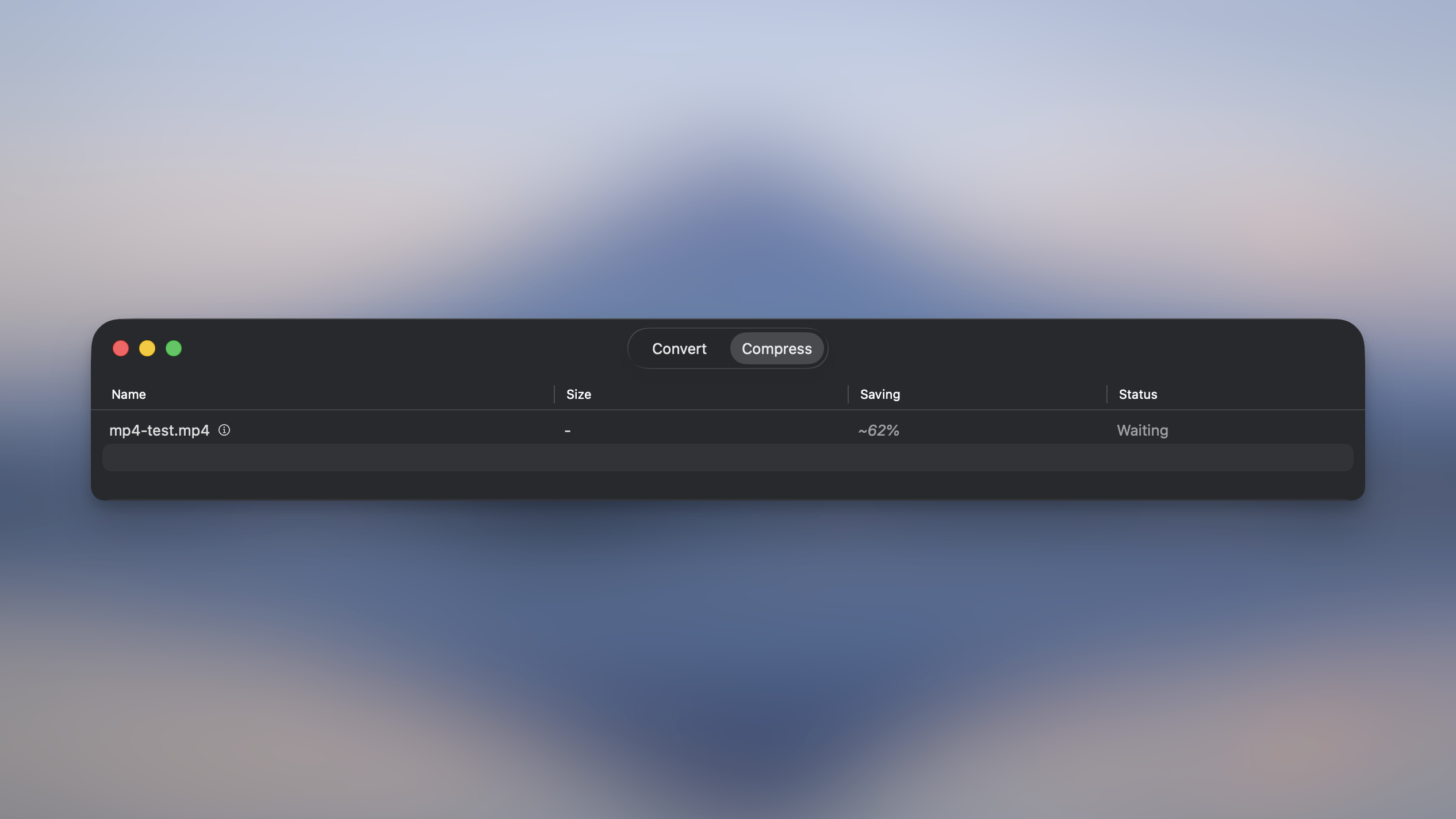
See an estimate of a video’s compressed size before you run it, so you know roughly how much space you’ll save.
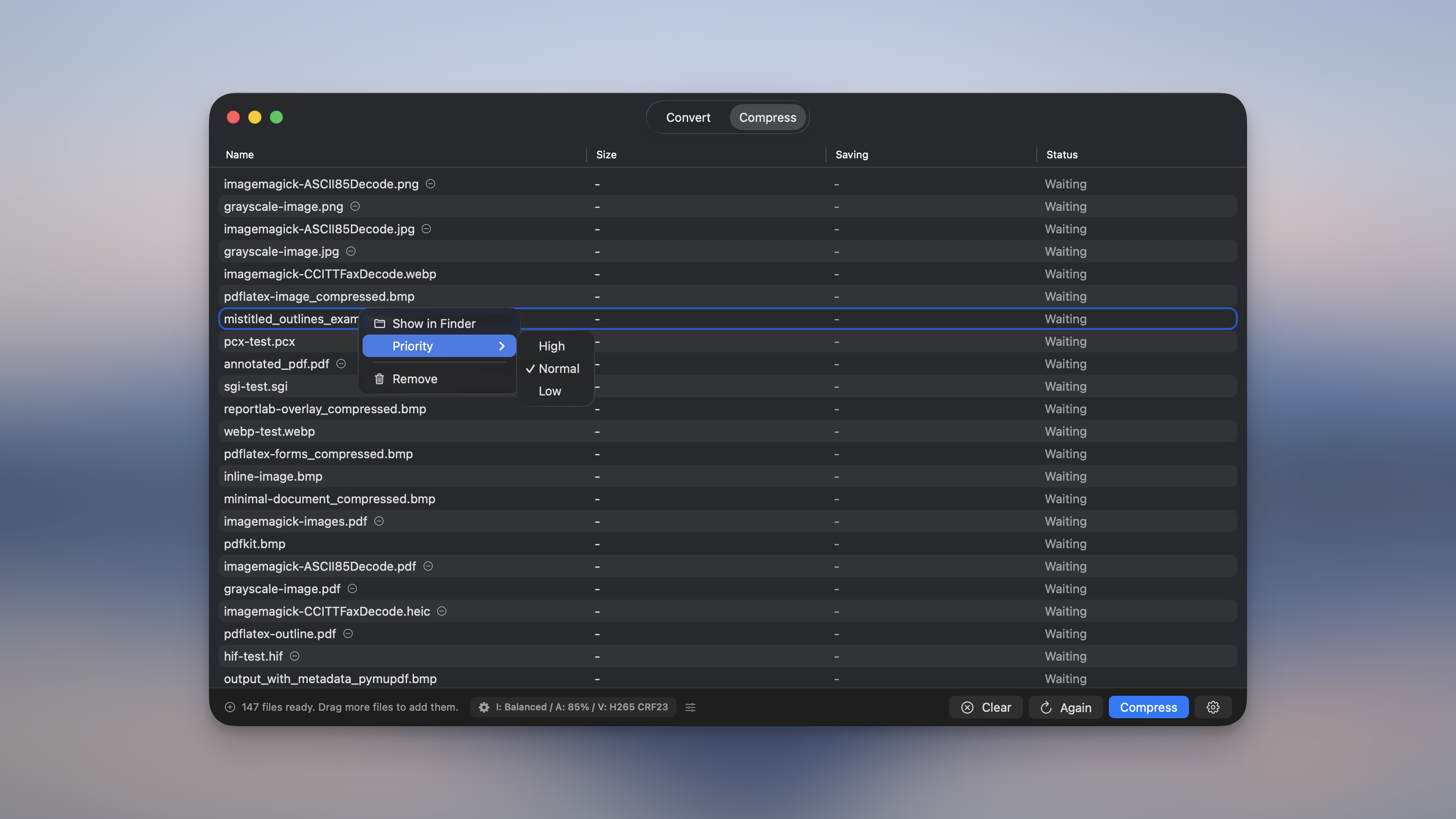
Set a priority on any file. Right-click and pick High, Normal or Low, and high-priority files get processed first, even mid-batch.
Pause and resume a running batch. Pause now stops files mid-conversion too, not just the ones still waiting.

Right-click any file to show it in Finder, set its priority, or remove it from the list. The old “File” column is gone, since Show in Finder now lives in the menu.
ALAC (Apple Lossless) conversions are now truly lossless. Converting FLAC to ALAC used to produce a smaller, lossy AAC file by mistake.
Fixed Adobe RGB conversions failing on macOS 26 with an “UnrecognizedColorspace” error. Picmal now resolves ICC profiles across macOS versions and skips color conversion cleanly when a profile is genuinely missing, instead of failing the whole batch.
Old FLV videos with mono Speex audio now convert instead of failing at the end with an encoder error.
Big batches no longer stall on the last file or two. If an image encoder gets stuck, Picmal kills it and retries within about 15 seconds.
The file list scrolls smoothly while processing, and the “X of Y files compressed” count no longer freezes just short of the total.
PDF compression never hands you a file bigger than the original. If it wouldn’t save space, Picmal keeps your original.
Cancelling a batch now stops quickly and tidies up, so interrupted files return to “Waiting” instead of looking stuck.
Other smaller fixes and improvements.
Use Picmal to easily convert your media on your Mac
One-time purchase · No subscription · 14-day money-back guarantee