
App Icons
Picmal’s sidebar has an App Icons tool that turns one image into app icons. Drop in a logo and get back a macOS .icns, a Windows .ico, and an iOS icon set. It runs entirely on your Mac.
Generate app icons
Section titled “Generate app icons”- Select App Icons in the sidebar
- Drop a single image into the window
- Pick the formats you want, macOS, Windows, iOS, or any combination
- Click Generate
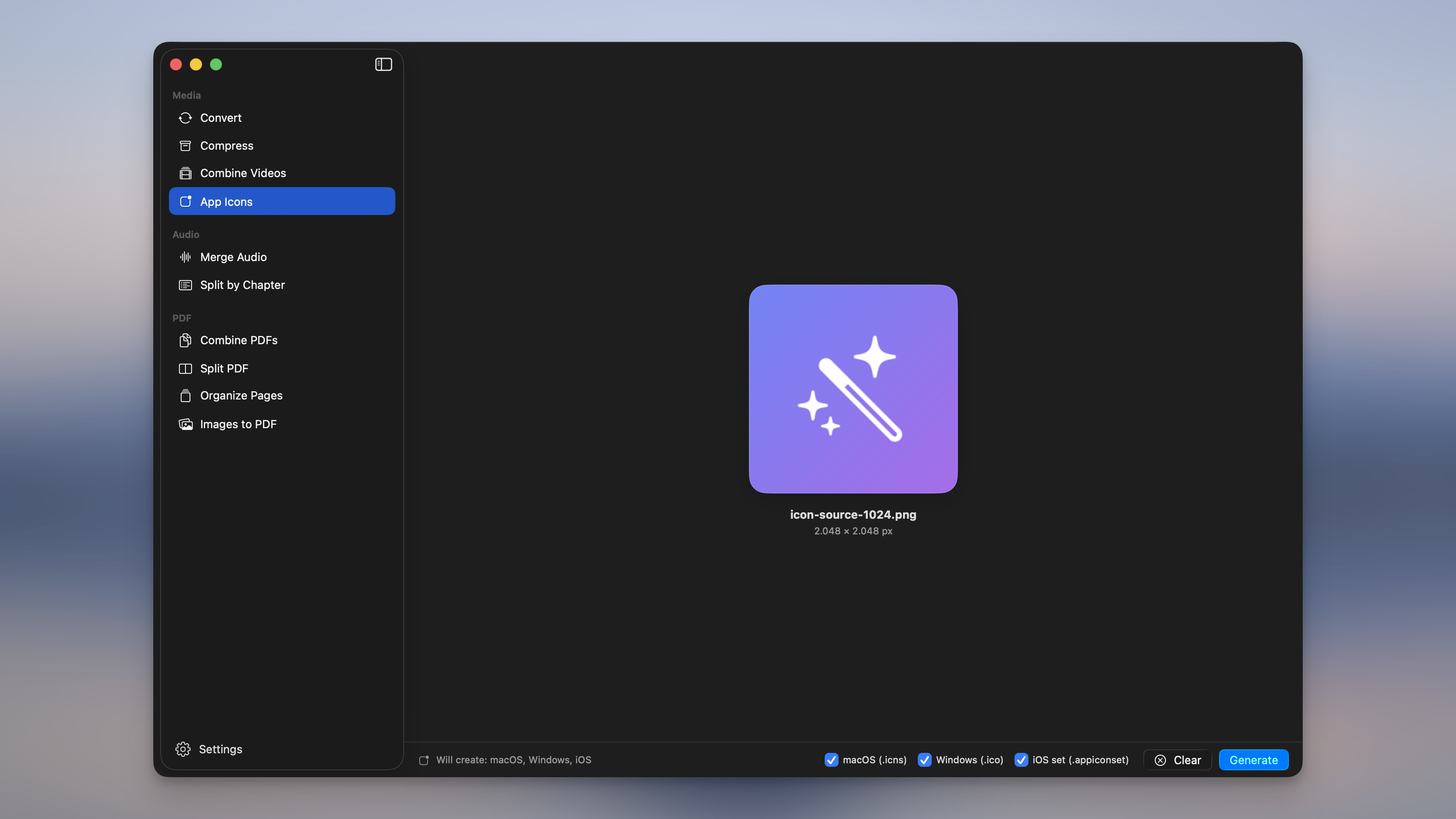
Each format is written into an output folder next to your source, named <name> App Icons.
| Format | Output | What you get |
|---|---|---|
| macOS | AppIcon.icns | The multi-resolution icon macOS apps use. |
| Windows | AppIcon.ico | A multi-resolution .ico for Windows apps. |
| iOS | AppIcon.appiconset | A universal 1024 icon set you can drag straight into Xcode’s asset catalog. |
Getting a clean result
Section titled “Getting a clean result”- Use a square source, at least 1024×1024. That’s the largest size any of the icons need, so a big square image stays crisp everywhere.
- Non-square images are fit, never cropped. A wide or tall image is centered and padded to a square, so nothing gets cut off.
- The iOS icon is flattened to an opaque background. iOS icons can’t be transparent, so a see-through source is placed on a solid background. The App Store rejects icons with an alpha channel otherwise.
macOS tile shape
Section titled “macOS tile shape”By default the icon fills the square edge to edge. Next to the format checkboxes you can instead pick a macOS tile shape to round the image into a proper macOS app tile, with the margin and soft shadow baked in:
- Big Sur: the classic squircle macOS has used since Big Sur.
- Tahoe: the rounder corner from the newer icon style.
- None: leave the image full-bleed (the default).
The shape applies to the .icns output. Windows and iOS icons are unaffected.
Use it from Shortcuts and the terminal
Section titled “Use it from Shortcuts and the terminal”- In Shortcuts, the Generate App Icons action takes one image and returns the icon files. See Integrations.
- From the terminal, use
picmal-cli app-iconsto generate icons (app-iconstill works). See Command line.