This went out to the Picmal newsletter on July 31, 2026. Sign up to get the next one.
Hello!
Another month gone. July was the busiest one Picmal has had, nine releases, and most of them added a whole new tool to the sidebar. Picmal keeps growing into that media toolkit for your Mac I keep talking about.
Let’s get to it.
What’s new
Picmal is on Raycast
The one I’ve been waiting to tell you about. The Picmal extension is live in the Raycast Store, so you can convert, compress, combine PDFs, split PDFs, build a PDF from images, merge audio, combine videos, and generate app icons without ever opening the app. Install it from the Store and that’s it, no API key, no separate download. It drives the copy of Picmal you already have.
It also ships Raycast AI tools, so you can just ask: @picmal convert these to webp. Everything still runs locally on your Mac.

Vectorize and Remove Background
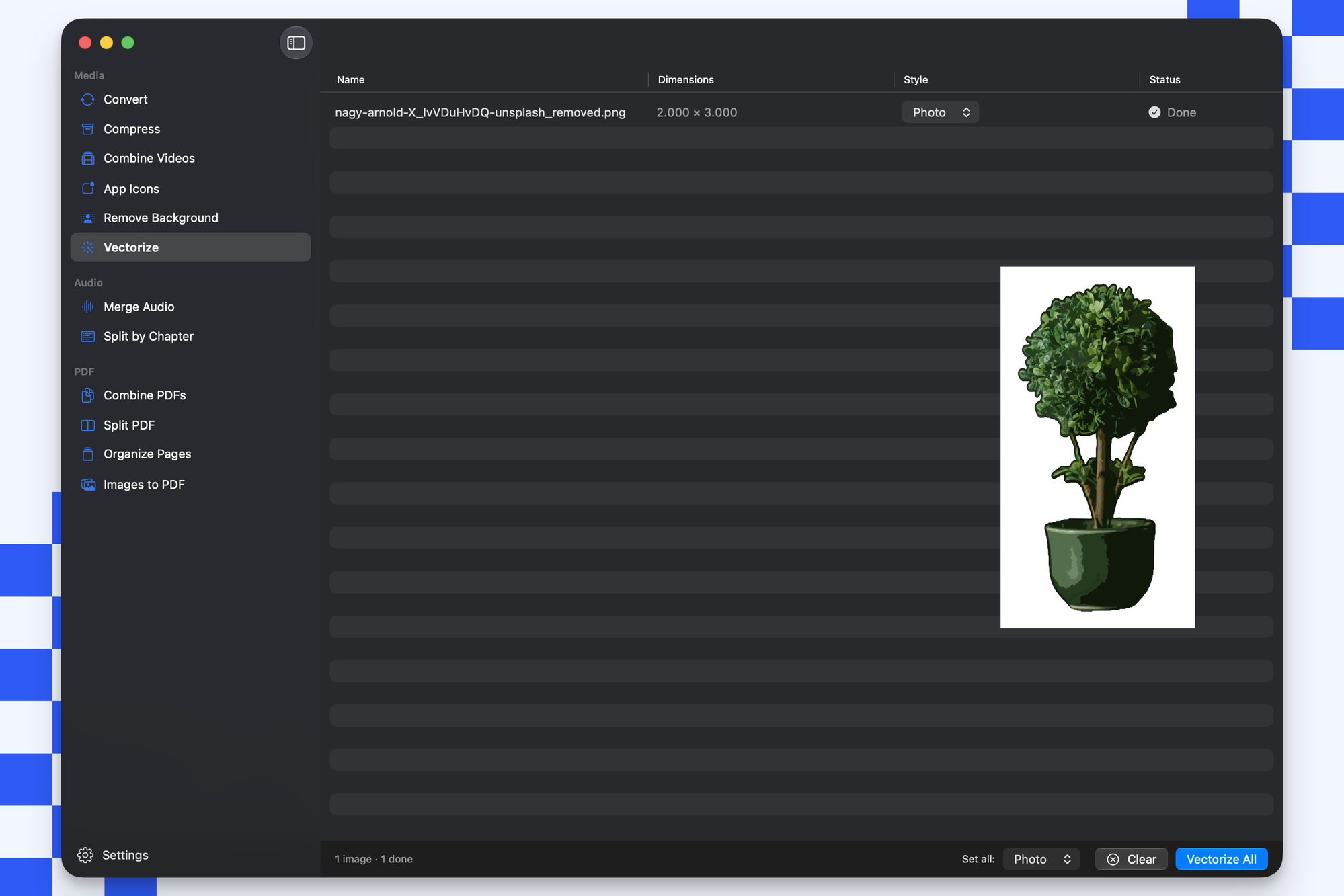
Two new image tools. Vectorize traces a PNG or JPG into a real SVG, actual paths and not a bitmap in disguise, so it shines on logos, icons, and flat art. Pick a style per image (Logo, Photo, or B&W) and trace a whole batch at once.
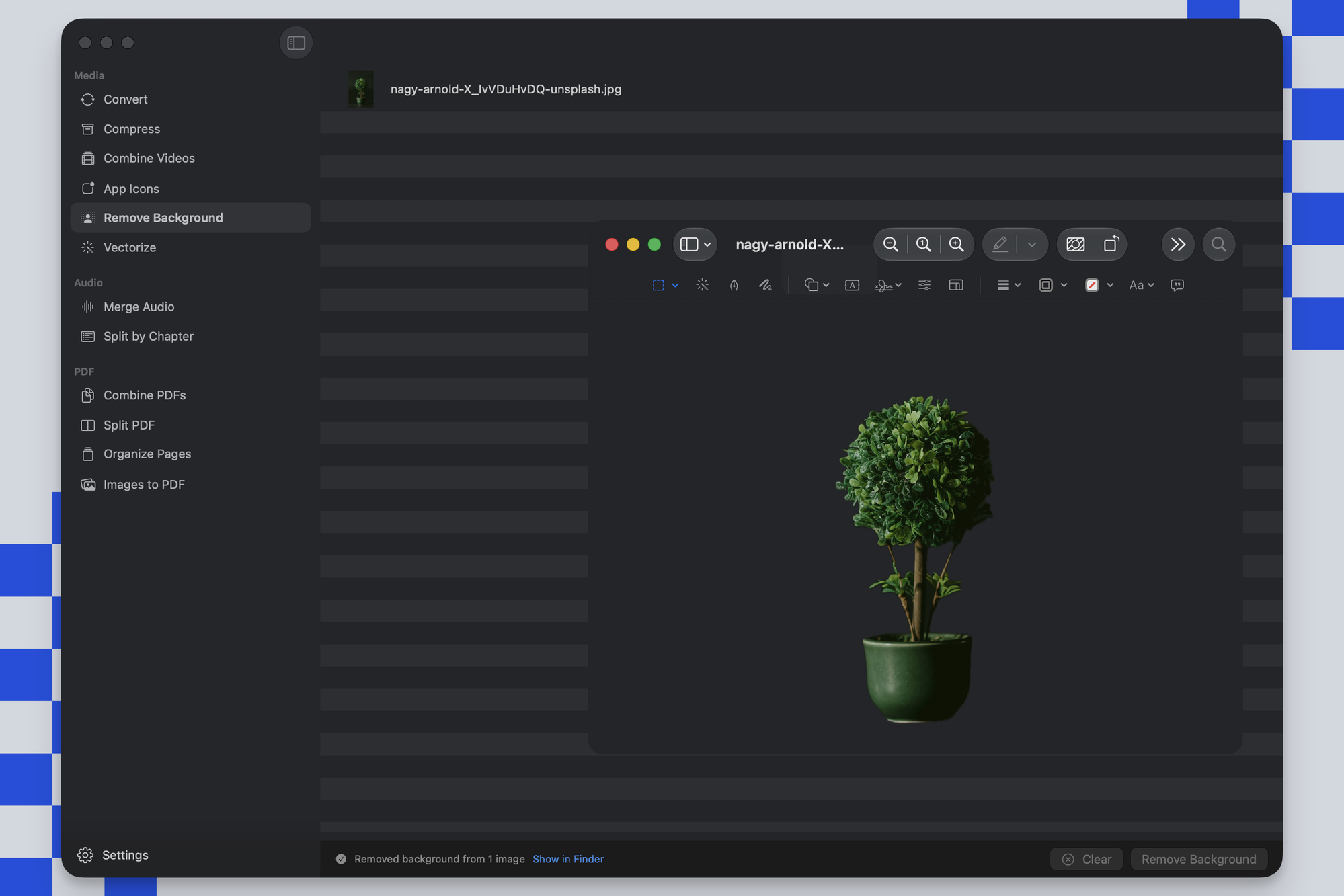
Remove Background does what it says. Drop an image and Picmal finds the subject and drops everything else to transparent. On device, nothing uploaded, no account, and it handles a batch too. It works in Shortcuts and from the terminal as well.
App Icons from a single image
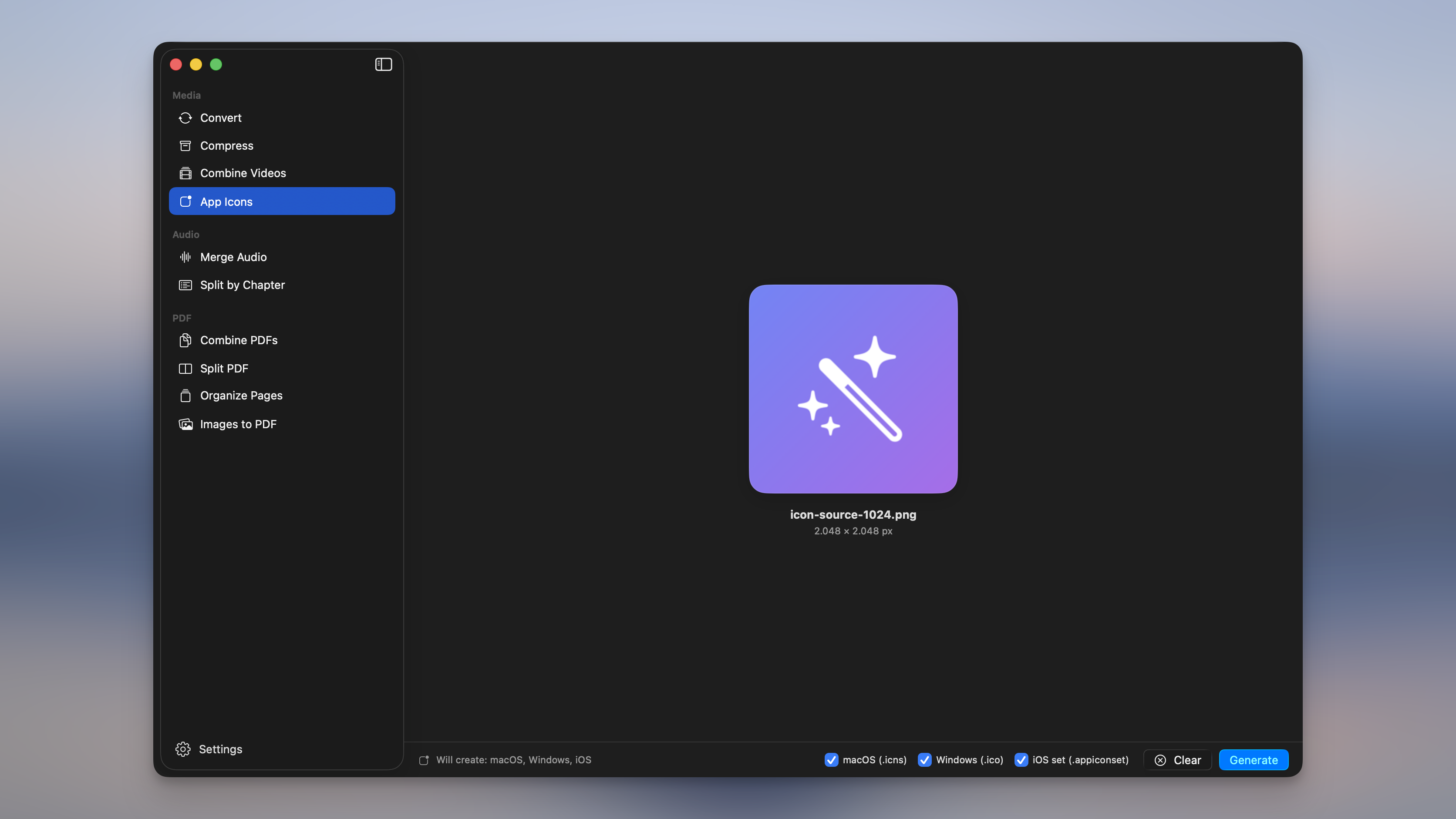
Give Picmal one image and it hands you back a macOS .icns, a Windows .ico, and an iOS icon set you can drag straight into Xcode. No export presets to fiddle with. You can also round the macOS icon into a proper tile, Big Sur squircle or the rounder Tahoe corner, with the margin and shadow baked in.
Audiobooks
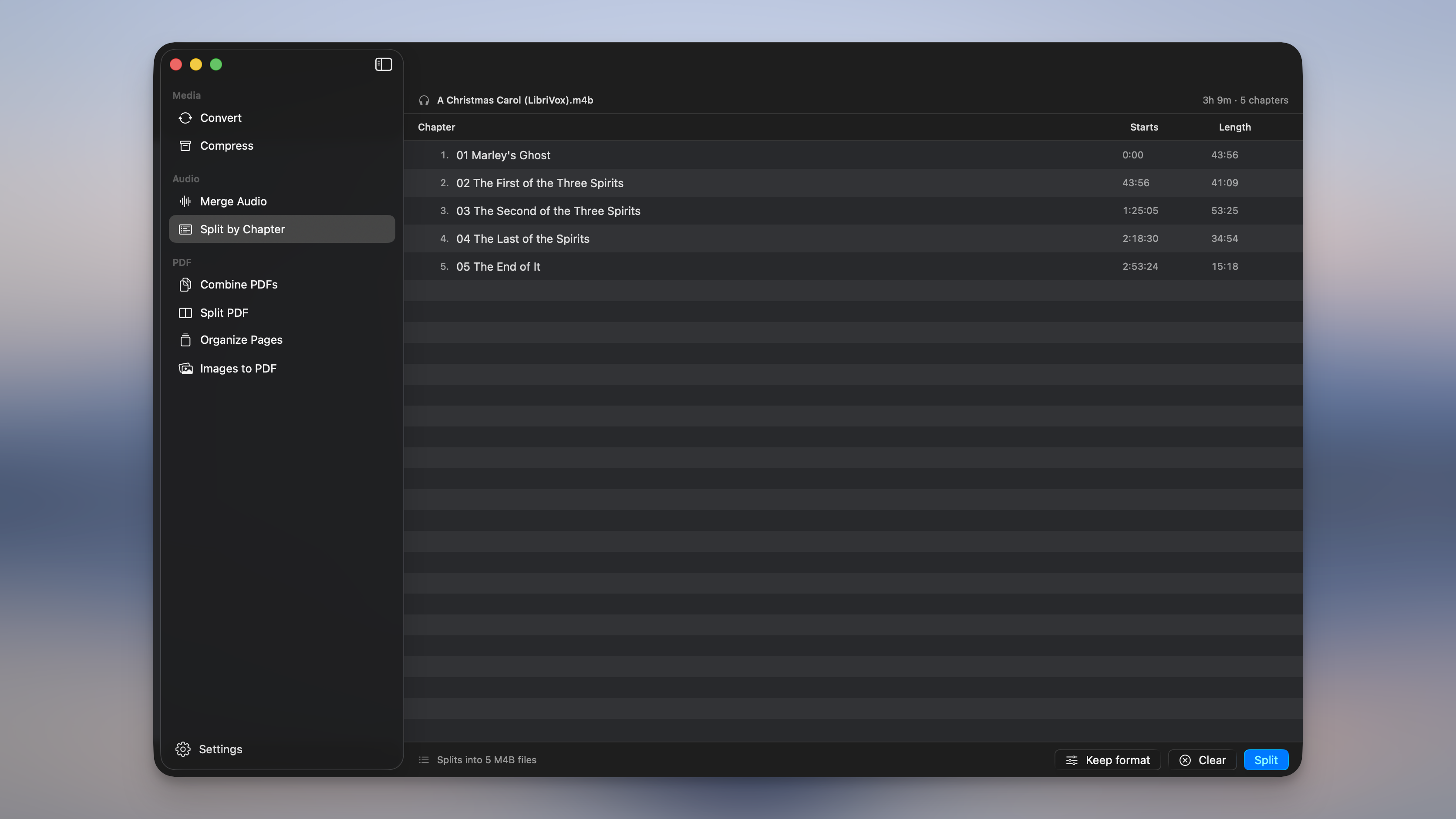
M4B files now convert to and from M4A and MP3 with chapters and cover art intact. There’s a new Split by Chapter tool that breaks a long book into one tidy file per chapter. And Merge Audio can go the other way, turning a folder of loose tracks into a single M4B where each file becomes its own chapter.
Combine Videos and Merge Audio
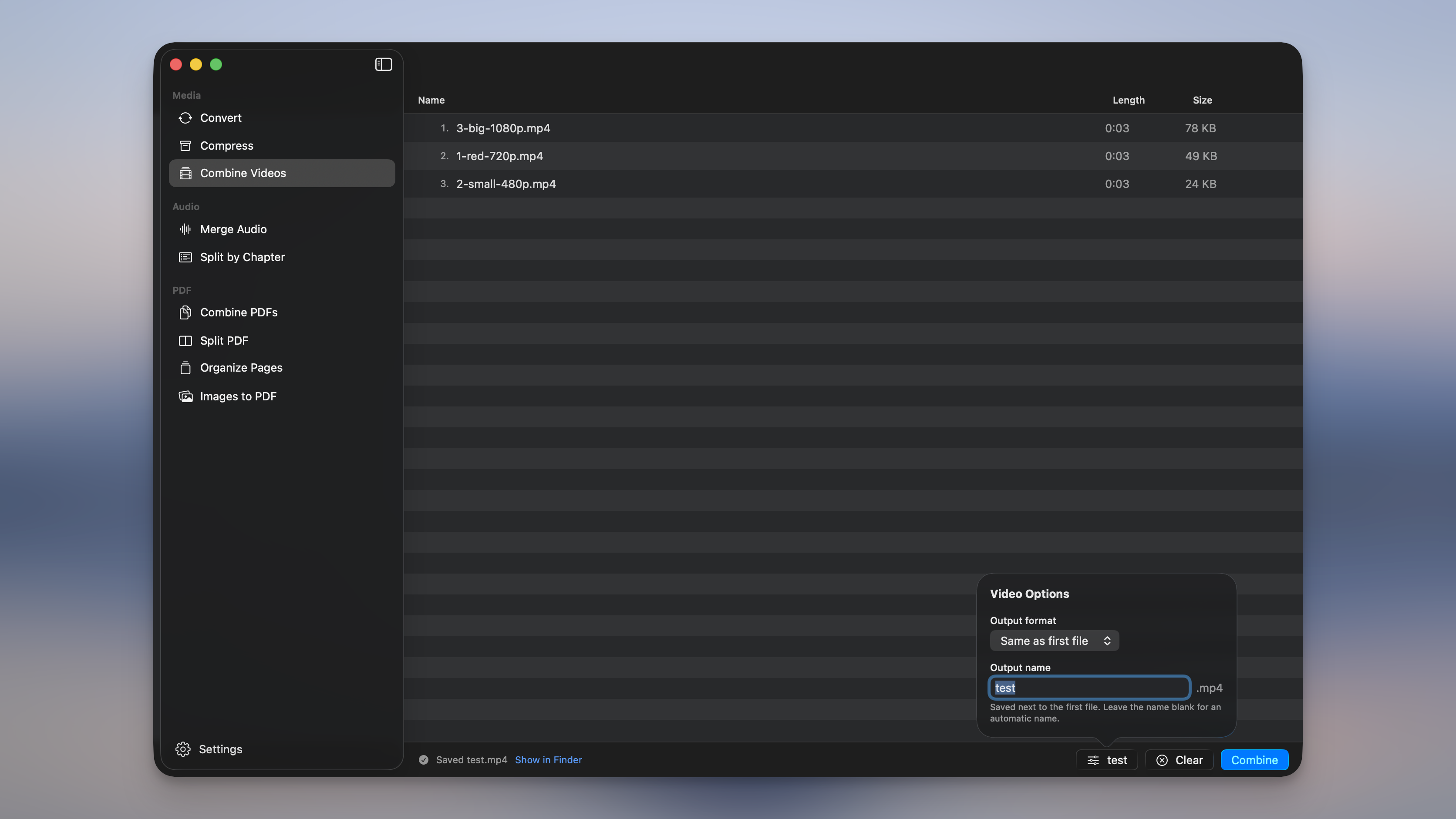
Two tools for joining things. Drop in a few clips (or a few tracks), drag them into the order you want, and get one file back. When everything already matches, Picmal copies the streams together untouched, so no re-encoding and no quality loss. Mix formats and it re-encodes to match.
What I improved
Cap a video to a resolution
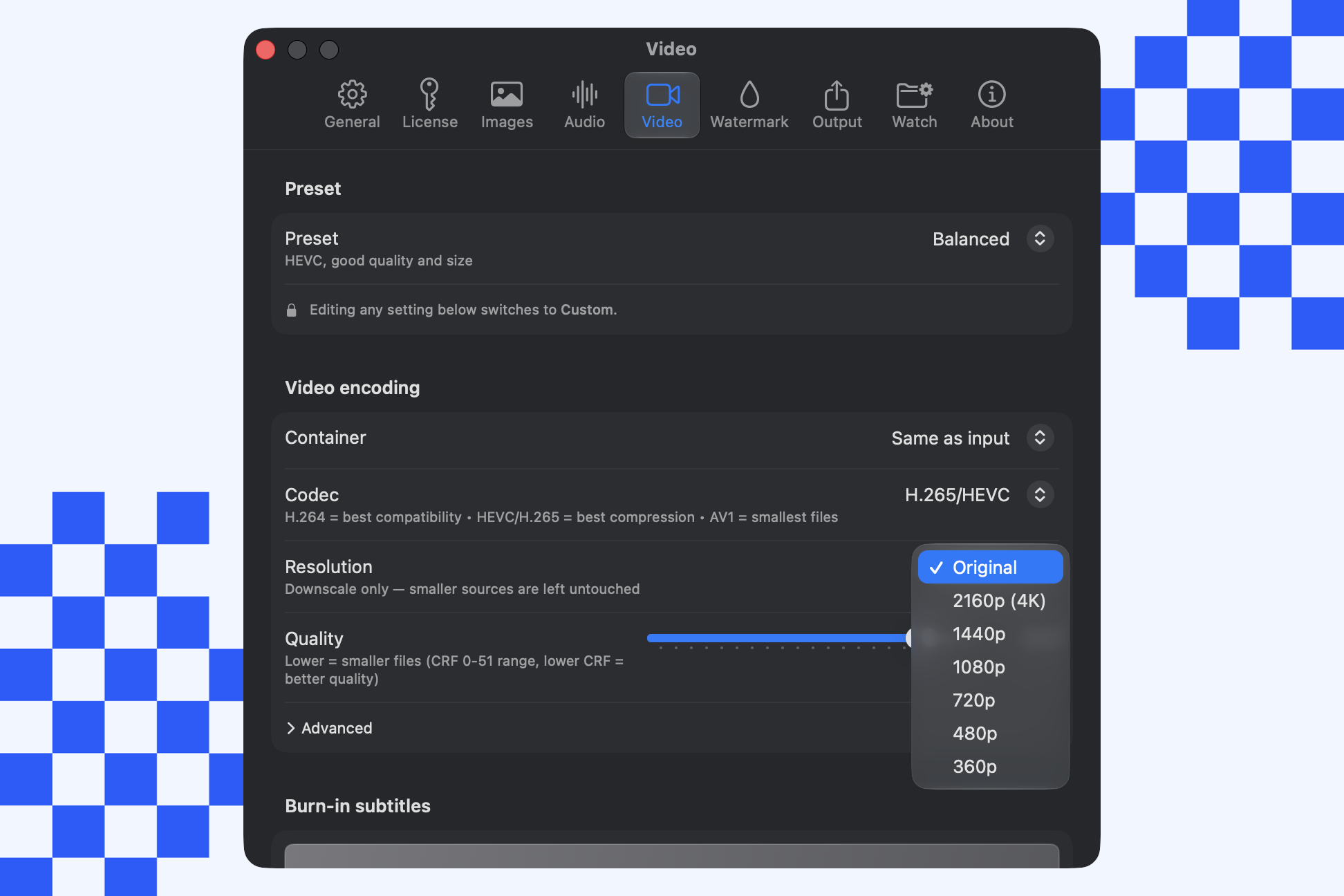
Video Options gains a Resolution setting: 2160p (4K), 1440p, 1080p, 720p, 480p, 360p, or Original. Big files can now come out smaller by size, not just codec. Picmal only ever scales down and keeps the aspect ratio, so anything already smaller than your pick is left alone. Works in Convert and Compress.
Converting with compression on now makes smaller files
Convert mode now uses the same optimized encoders as Compress mode, so JPEGs, PNGs, and GIFs come out smaller. Formats like BMP, JP2, and JXL that used to pass through untouched get compressed too.
WebP no longer ends up bigger than the original
This was a big one. With compression off, Picmal was encoding WebP (along with AVIF and HEIC) at full quality, so a 355 KB JPEG could balloon past 1 MB. It now converts at a visually lossless quality that stays well under the original.
Subtitles survive conversion
Videos carrying soft subtitle tracks used to lose them every time Picmal re-encoded the file. They now come along for the ride whenever the output format can hold them.
A self-serve portal for your license
Lost your key, or need to free up a device? The License tab links straight to a portal that emails you a sign-in link, then lets you recover your key, move seats between machines, and manage renewals. Your license also verifies offline now, so Picmal stays activated on a plane or a flaky connection. Existing licenses carry over on their own.
Other small things
- New PDF tools: Organize Pages (reorder and delete pages visually) and Split PDF by page range.
- Two new color space targets, Grayscale and CMYK, for black and white and print-ready output.
- Transparent images converted to JPEG now fill with white instead of black.
- Drop an
.icnsin and every size inside it comes out as its own PNG or JPG. - Plus crash fixes for damaged HEIC files, hanging PDF compression, and that “access data from other apps” prompt on launch.
If you want every detail, the full changelog is here.
And if you’d like to know how any of this works, the docs are here.
As always, if something feels off or you have a use case I haven’t thought of, write to me at support@picmal.app. I read all of it.
Talk to you soon, Alberto