This went out to the Picmal newsletter on April 30, 2026. Sign up to get the next one.
Hello!
April was a busy month for Picmal. Nine releases, and a few of them are things people had been writing in asking for since the first version.
Here’s what’s new.
Subtitles, playback speed, and watermarks for video
There’s a new film icon next to every video. Click it, drop in an SRT or VTT file, and the subtitles get baked into the output. No sidecar file, no hoping the viewer’s player picks them up. Style them in Settings → Video: size, color, and position on screen.
Same icon, playback speed per video. Pick 0.25×, 0.5×, 2×, 4×, or type any custom percentage from 10% to 800%. Pitch is preserved, so 2× won’t chipmunk your narrator. Doing the same speed across a whole batch? Hit “Apply speed to all videos” and you’re done.
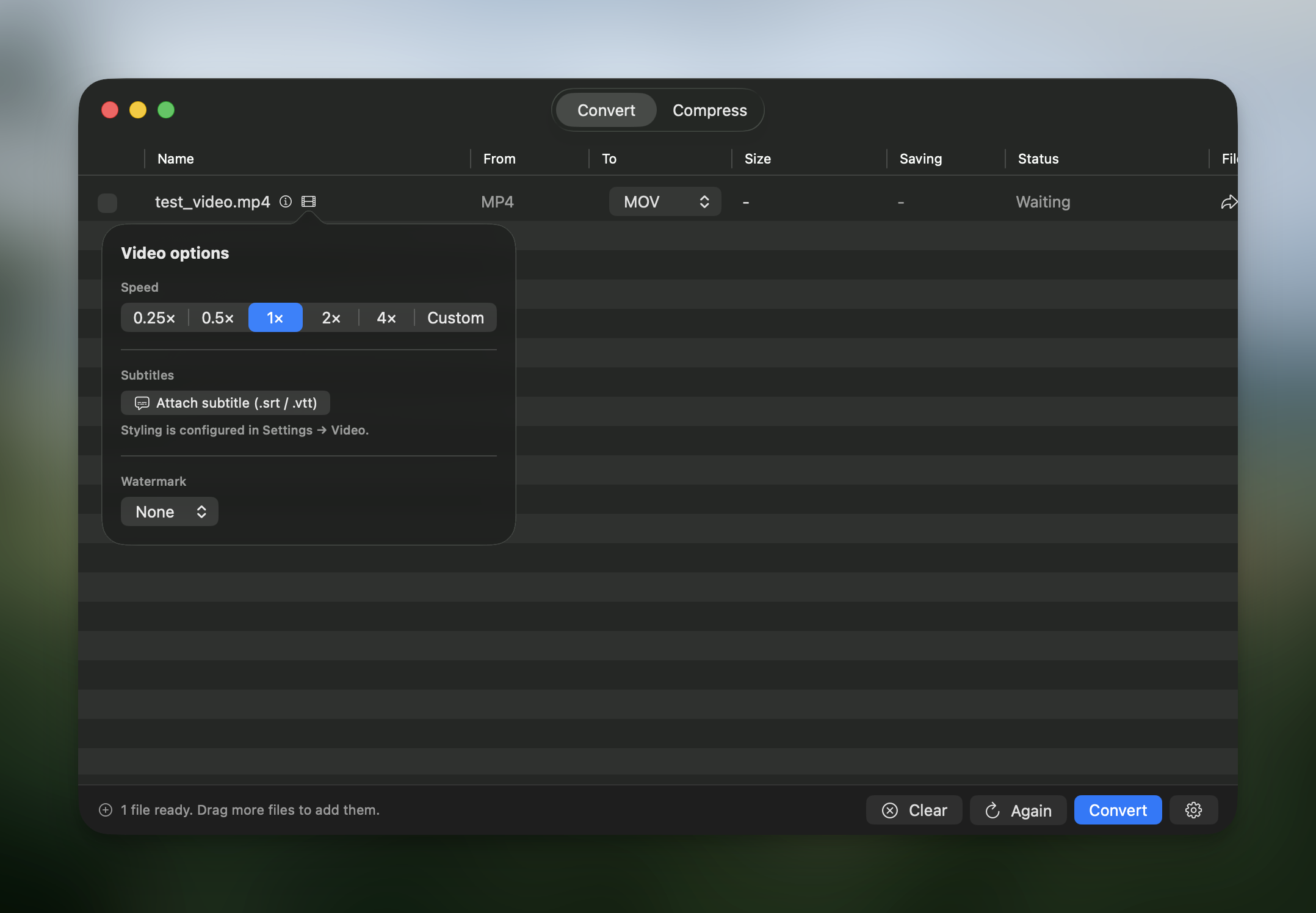
Watermarks too. Drop in your logo or any PNG, choose one of 9 anchor positions, set margins and opacity, and save as many presets as you need.
Rename files using EXIF data
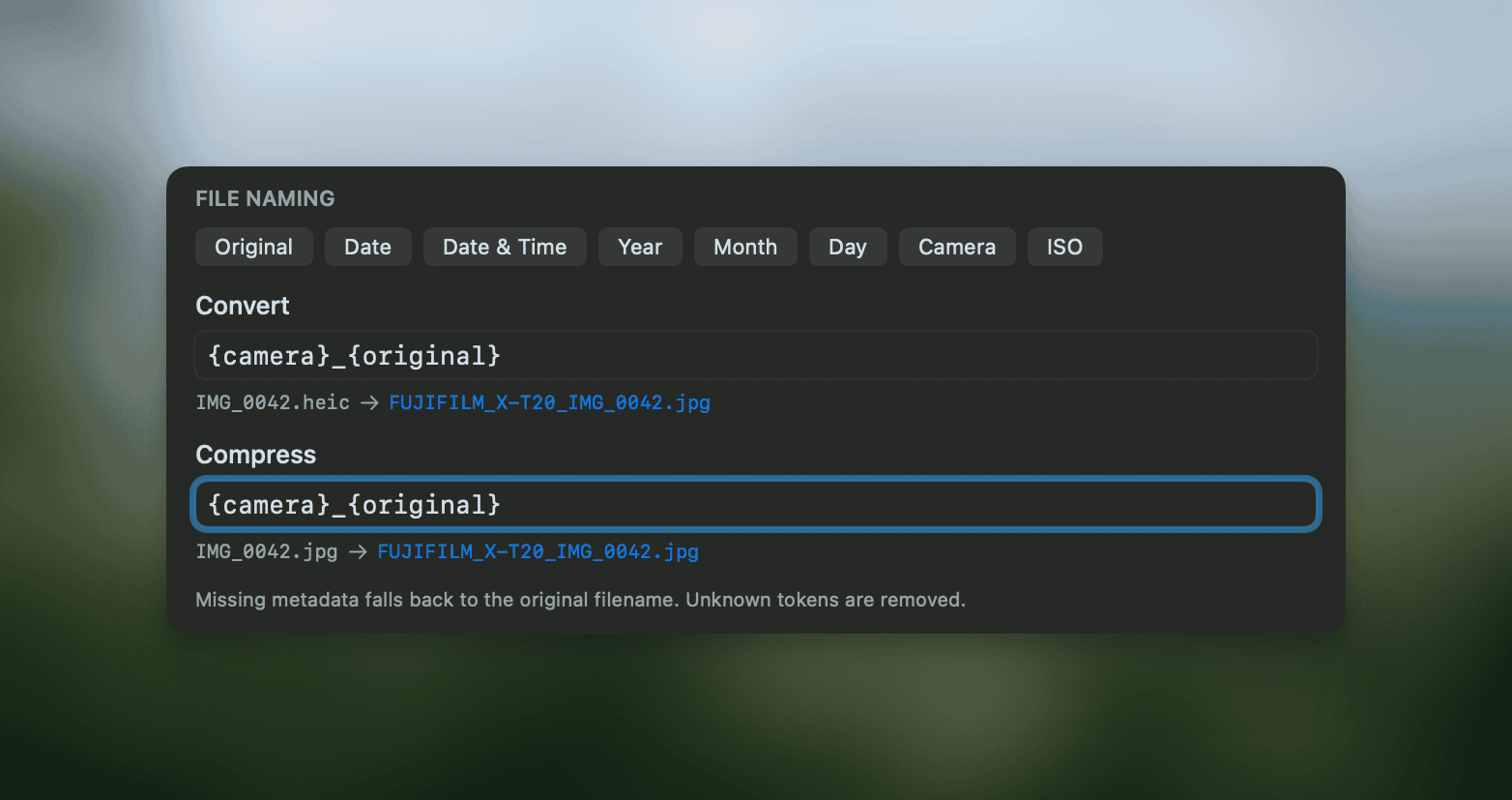
If you’ve ever stared at a folder full of IMG_0042 files, this one’s for you. Set a filename pattern in Settings → Output and Picmal fills in the tokens from each file’s metadata as it processes. Available tokens: {original}, {date}, {datetime}, {year}, {month}, {day}, {camera}, {iso}.
Settings got a redesign
The settings were a bit messy in the previous version. I’ve tried to make the sections clearer and fix the parts that were confusing. I’m planning to keep working on this in future updates.
Audio resampling
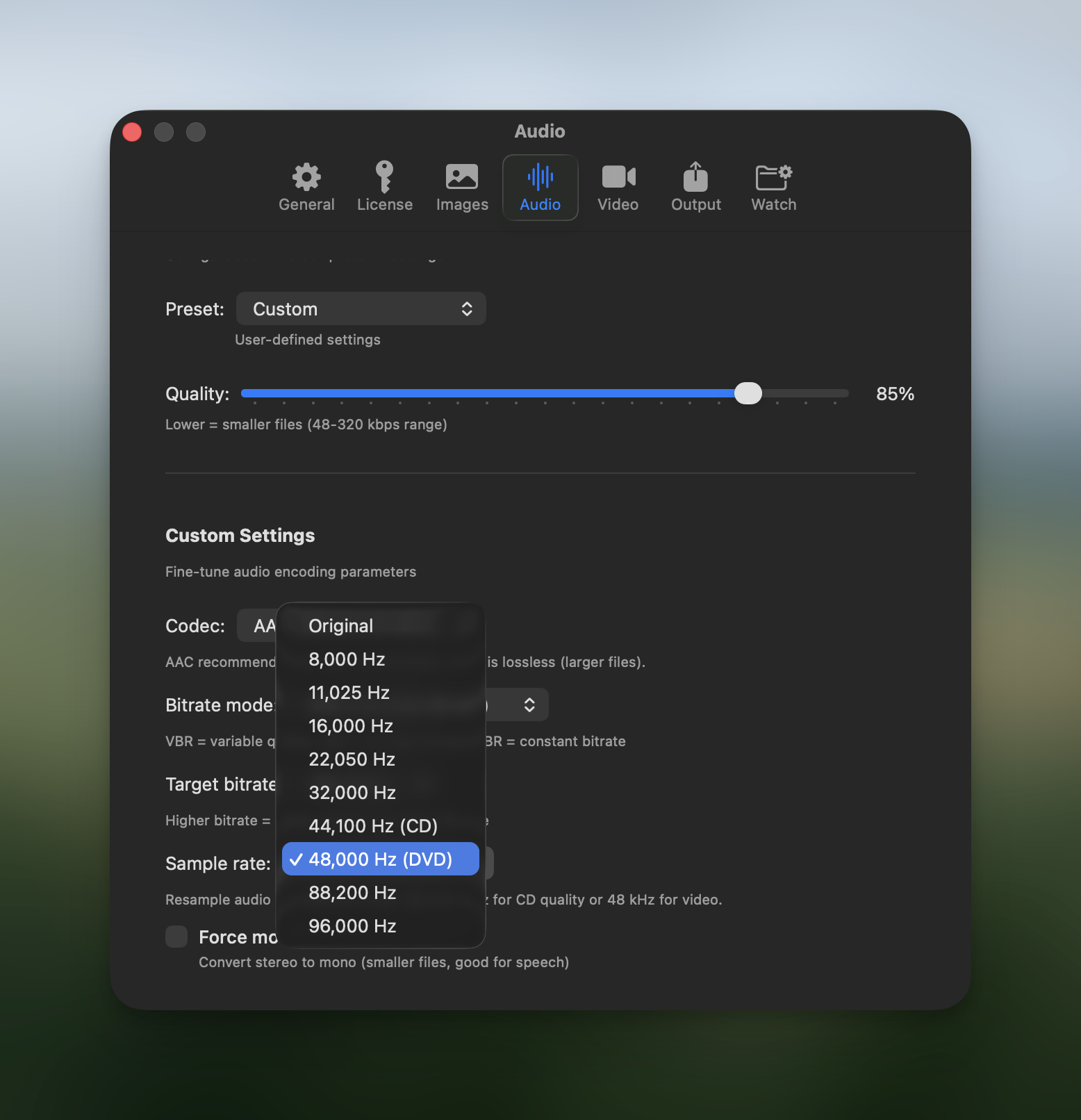
You can now convert an audio file to the same format it’s already in, which sounds odd until you need it. That’s how you resample: FLAC to FLAC at a different sample rate, codec untouched. The sample rate picker in Audio → Custom preset goes from 8 kHz up to 96 kHz.
Clipboard now does convert and compress
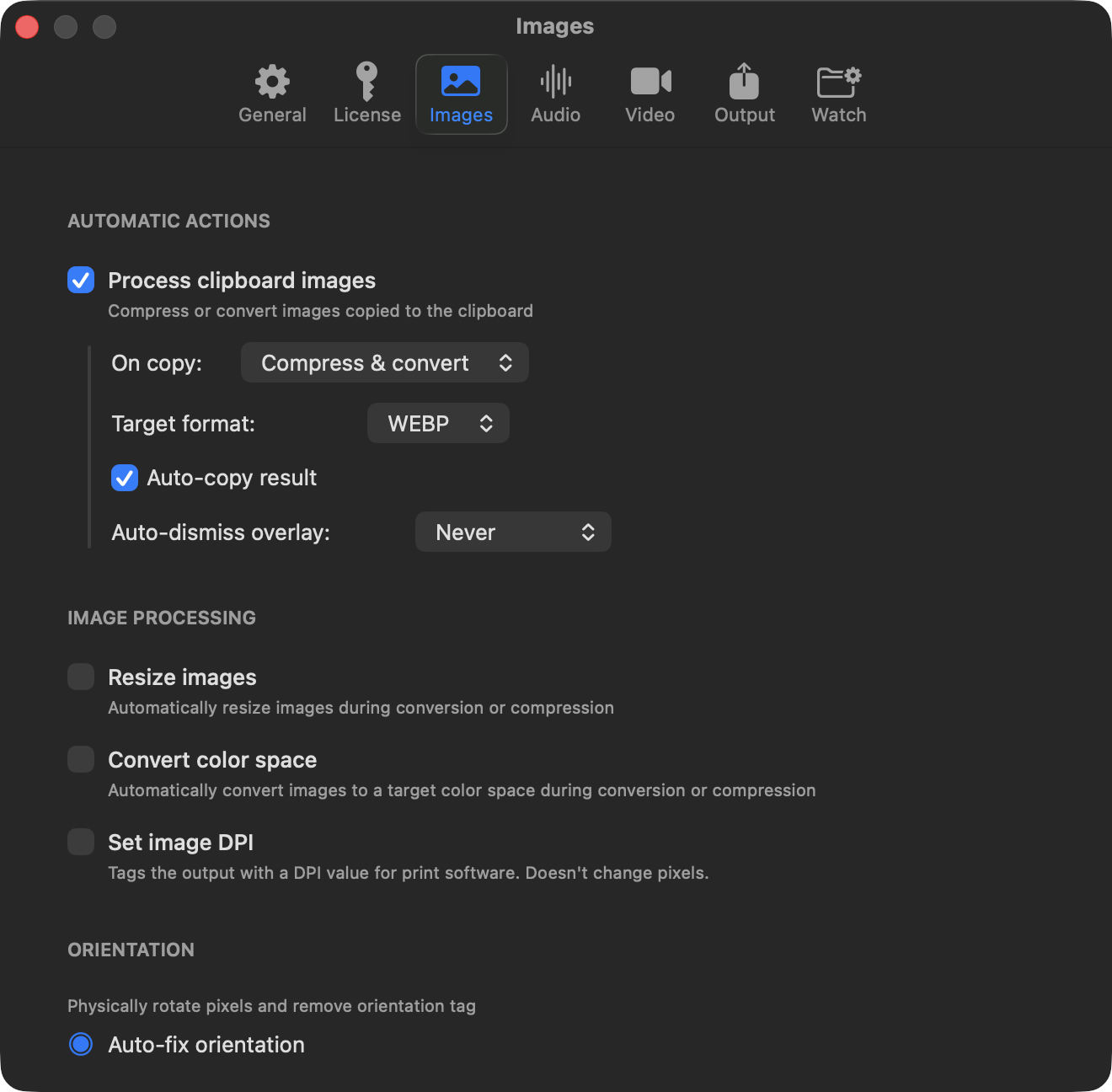
Copy an image and Picmal can compress it, convert it to JPEG, PNG, WebP, HEIC, AVIF, TIFF, or GIF, or both at once.
If you want every detail, the full changelog is here.
And if you’d like to know how any of this works, the docs are here.
As always, if something feels off or you have a use case I haven’t thought of, write to me at support@picmal.app or open an issue on GitHub. I read all of it.
Talk to you soon, Alberto